BunnyBox — Professional Description
BunnyBox is an accessible, browser-based AI image generation platform designed for creators who want to transform descriptive text into polished visual artwork in seconds. Live at BunnyBox, the service positions itself as a playful yet capable creative tool, inviting users to answer the simple question, "Who's your bunny..." — a gentle nod to its mascot-inspired identity that frames image creation as an exploratory, expressive experience rather than a technical chore.
Core Functionality
At its heart, BunnyBox operates as a streamlined text-to-image engine. Users enter a freeform prompt in a dedicated creation panel, with guidance encouraging them to specify the scene, lighting, and overall mood of the image they envision. An example prompt on the platform — describing an adult woman in a silk evening dress, a playful smile, candlelight, and cinematic shadows — demonstrates the kind of evocative, detail-rich descriptions the tool is optimized to interpret. This focus on atmosphere and cinematic quality suggests that BunnyBox is tuned not merely for generic illustrations but for visually striking, narrative-driven compositions.
The interface keeps complexity low while preserving meaningful creative control. Users can select from three standard aspect ratios — 1:1, 2:3, and 3:2 — making it straightforward to tailor outputs for social media feeds, portrait-oriented collages, or landscape-style artwork. A "Try a random sample" option offers a low-friction entry point for visitors who are unsure where to start, letting the platform itself suggest a creative direction.
Tiered Quality and Credits
BunnyBox introduces a simple, transparent credit system tied to output quality. Three quality tiers are available: Good, Better, and Best, priced at one, two, and four credits respectively. Notably, the Good tier is offered free of charge, allowing first-time users to generate real artwork without any upfront commitment — a deliberate strategy to lower the barrier to entry. The Better and Best tiers are marked as "coming soon," signaling an active roadmap in which higher-fidelity rendering and premium features will be progressively rolled out.
This tiered model is particularly well suited to a navigation-directory audience: it gives a clear sense of how the product is monetized, what a user can expect at each level, and why the platform may be worth watching as its premium capabilities mature.
Community Gallery and Discovery
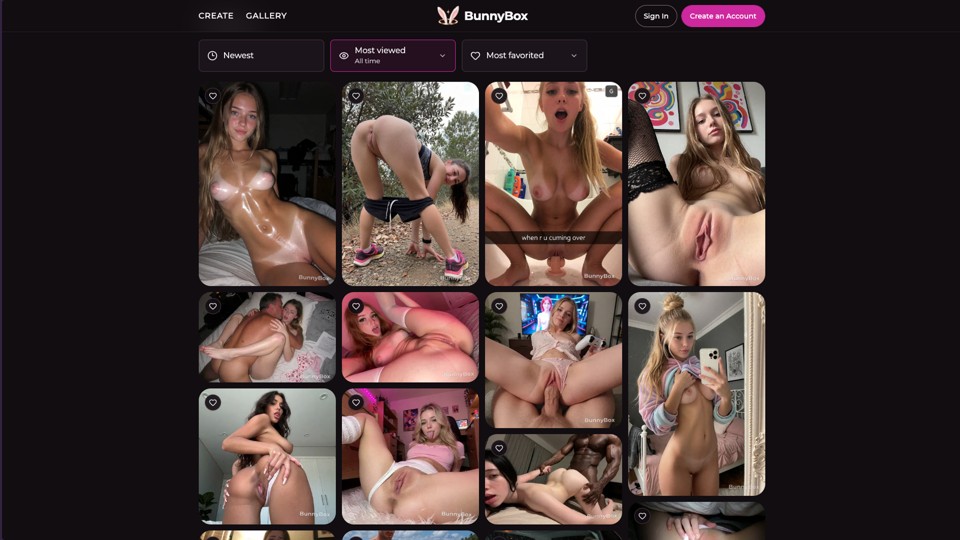
Beyond individual generation, BunnyBox functions as a community showcase. The homepage features a Gallery section with dedicated sorting views for the newest uploads, the most viewed pieces, and the most favorited creations. Every gallery image is attributed to its creator via handle-style identifiers, reinforcing a social, creator-centric ecosystem. For visitors browsing a curated directory, the gallery offers immediate visual proof of the platform's output quality and stylistic range, while for active users it provides both inspiration and a form of social validation.
Privacy and Upcoming Features
The platform is transparent about its feature roadmap. A "Private" generation mode is listed as "coming soon," and the interface explicitly notes that private generation is currently unavailable while reassuring users that their privacy selection is preserved. This forward-looking positioning indicates an awareness of the growing demand for confidential, non-public image creation workflows — a meaningful differentiator for professional users who may not want their experiments exposed in a public gallery.
Who BunnyBox Is For
The platform occupies an interesting middle ground between casual toy and serious creative utility. Its frictionless free tier and playful branding make it approachable for hobbyists and curious newcomers, while the emphasis on scene, lighting, and mood — combined with future premium tiers and private generation — speaks to more serious illustrators, content creators, and marketing teams seeking rapid concept visualization. Because everything runs in the browser, there is no software installation or specialized hardware requirement, widening its accessibility across devices.
Conclusion
In summary, BunnyBox is a cleanly designed, community-oriented AI image generator that couples a genuinely free entry tier with a clear roadmap toward premium quality options and privacy controls. For anyone cataloging creative AI tools, it stands out for its intuitive interface, curated community gallery, and honest, incremental approach to feature development. It is a promising addition to the generative-art landscape and well worth trying today.